Lessons in Scaling a Design Team From 15 → 75
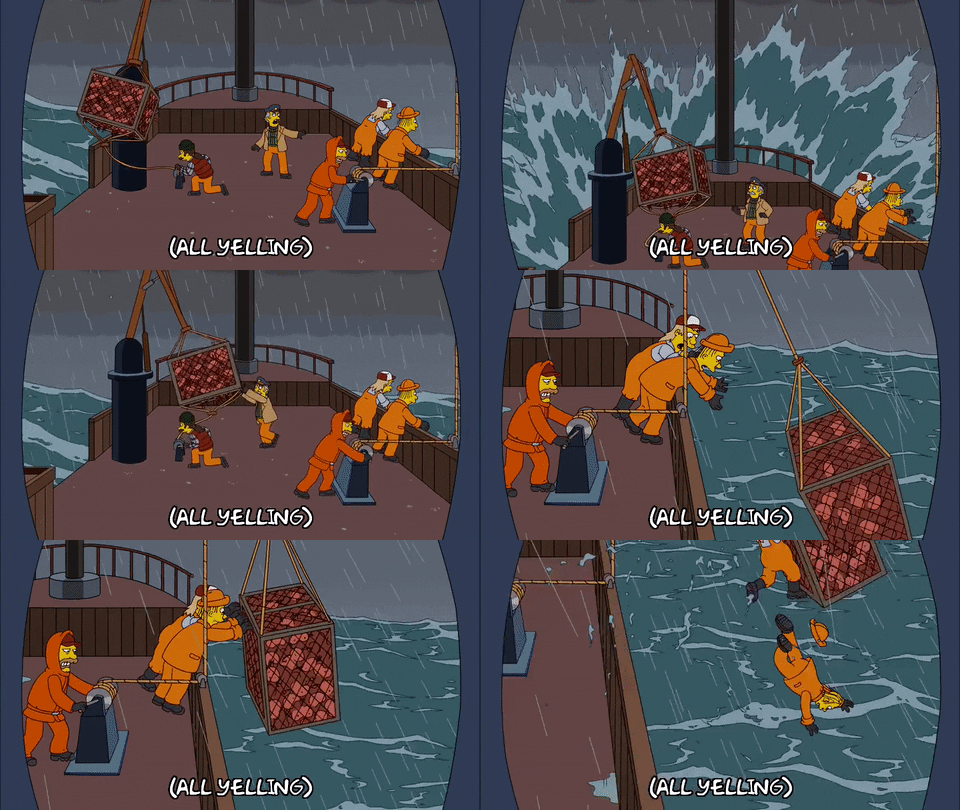
When I joined Babylon last November I felt like I’d been dropped into the middle of a stormy ocean. Waves were crashing in from all angles and it was difficult to tell which way was up, let alone which direction was toward land. The Experience Design team was around 15 people at the time, enough to comfortably huddle around a couple of sofas. I was the first design manager hired (after a director, Jane and CXO, Chad) and started interviewing designers on my second day, finishing 4 interviews in my first week—this was all before having an actual desk or key fob to enter the building. With a new designer or two joining every week speed was of the essence.
Today, Experience Design at Babylon is 75 people. The team has increased by a multiple of 5 in less than a year, which honestly still boggles my mind. Looking back at Lever, I’ve completed almost 100 interview scorecards, and had a front row seat into the team and culture we’ve created. Now that things are starting to (slightly) stablise I wanted to take a breath and share some of the things I’ve learned throughout this ever glamorous hypergrowth period.
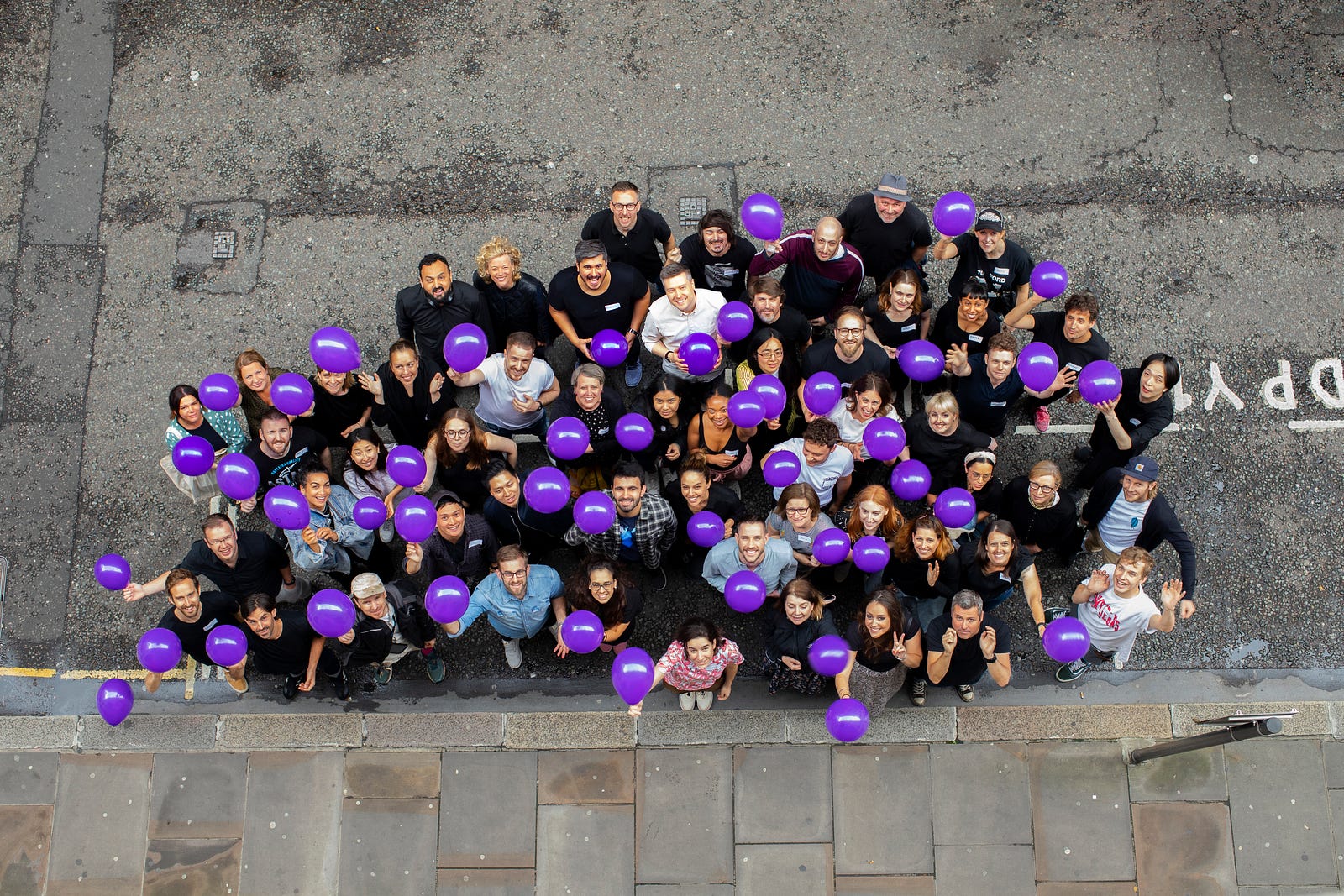
Babylon’s fantastic Experience Design team, June 2019. Photo credit: Leiliane Valadares
A Systemic Approach
In an environment with such a high volume of new starters, things are out of date almost as quickly as they’re added. Babylon has a wiki, and Bamboo (an HR tool), but both are limited in what they’re able to show, difficult to update and thus, rarely up-to-date. Taking a human-centered approach meant the answer wasn’t going to live in a single software touchpoint, but a series of moments along a journey. An effective solution would require evolving manual processes, team rituals and creating artifacts to support it.
My hunch was that if we could give people a consistent starting point, clarity into who’s on the team and regular reminders of what everyone’s working on, this would provide enough information to empower individuals to connect the rest of the dots themselves. In other words, I wanted to create a lightweight framework that optimised for clarity, visibility and adaptability throughout the entire team as we grew.
1. Where do I start?
Due to Babylon’s constantly changing mix of permanent, contract and consulting staff, simply finding new starters was a challenge in itself. Sometimes designers were hired directly by Product or Engineering folks, or came as part of company acquisitions, so we couldn’t rely on the Experience Design org to know who was coming in the door. Our saving grace were the weekly Bamboo HR intro emails — these are sent to the entire company on someone’s first day. I’d sift through them every Monday to find any containing the word “UX Designer” “Product Designer” “Product Designer (UX/UI)”, “Experience Designer” in addition to User Researchers, Content Designers and Service Designers. And yes, we also had the joy of inconsistent labels to describe the same role, yay!
New starters often landed into the company with very little context and an onboarding experience that varied significantly based on their product area and line manager (or lack thereof). Problems were amplified by the sheer volume of new people coming through the door each week. And this wasn’t just a problem for new starters, it was a real challenge to co-ordinate across managers, and to ensure the team was kept in the loop. How would you feel if you learned a bunch of your peers had joined last week and no one had told you?
The first step was establishing a bare-minimum onboarding experience, which was just a simple checklist a manager needed to complete for each new starter on their team. It included things like speaking to facilitates to ensure there was an allocated desk and IT to ensure there was the right laptop set up with the right software.
I put together a Google sheet — inspired by something Sabrina created back at BuzzFeed— which tracked an incoming list of new starters, who was responsible for them and links to any useful documents to aid in their onboarding process. I also added a few things I’d consider best practices, like sending out a personal email ahead of time, welcoming new starters to the team and setting expectations before their first day.
It’s not perfect, usage was inconsistent, but having clear expectations and a shared understanding massively improved onboarding consistency across ICs and managers. It also provided a working model to iterate on as we learned what we needed to add and what wasn’t necessary. The checklist also proved handy when managers were out on holiday, because it was easy to spot new people about to start, which steps were still required, and whether someone needed to step in to complete them.
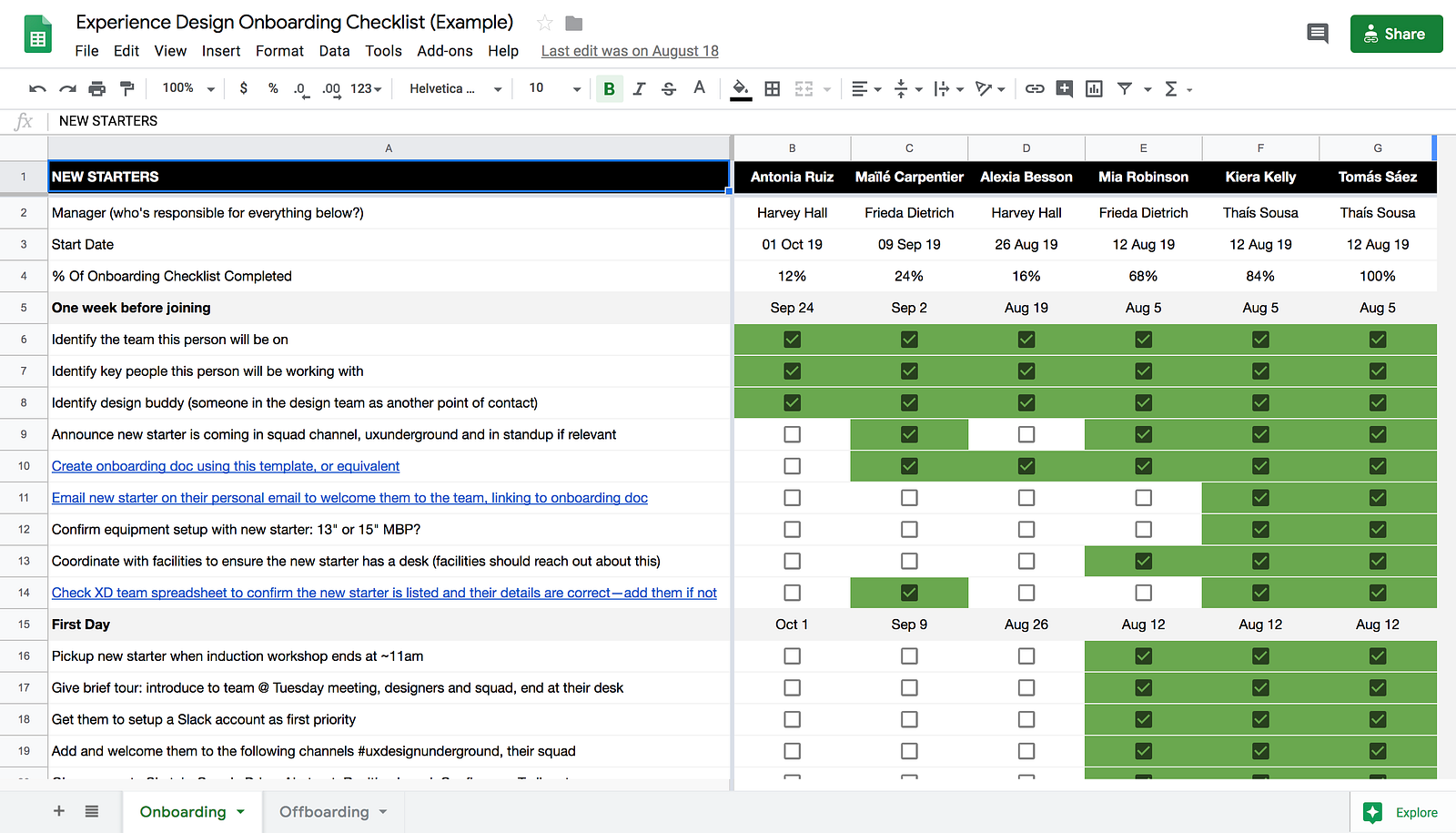
👉 Template: Onboarding Sheet 👈
2. Who’s on the team?
While the onboarding problem goes deep on one specific moment in time, this theme addresses a broader audience over a broader range of time, tackling a broader set of questions. Things like:
- Which designer can I speak with about x?
- I’m meeting with y, are they in my office?
- What does z work on?
- How much longer will this freelancer be with us?
- Who’s about to join?
- How big is this team anyway?
Fundamentally, these questions boil down to people looking for clarity on the current state of the team — something between an FAQ and a wayfinding tool, like the huge signs you see hanging in airports. Our problem wasn’t that the information didn’t exist, it was that it was held in silos, often out-of-date and distributed inconsistently to the broader team. The opportunity was in creating a minimal artifact that was extremely simple to update and transparent to the entire team. It was also crucial that the recruiting team were onboard as they were often the ones closest to who’s accepted and what their start date will be.
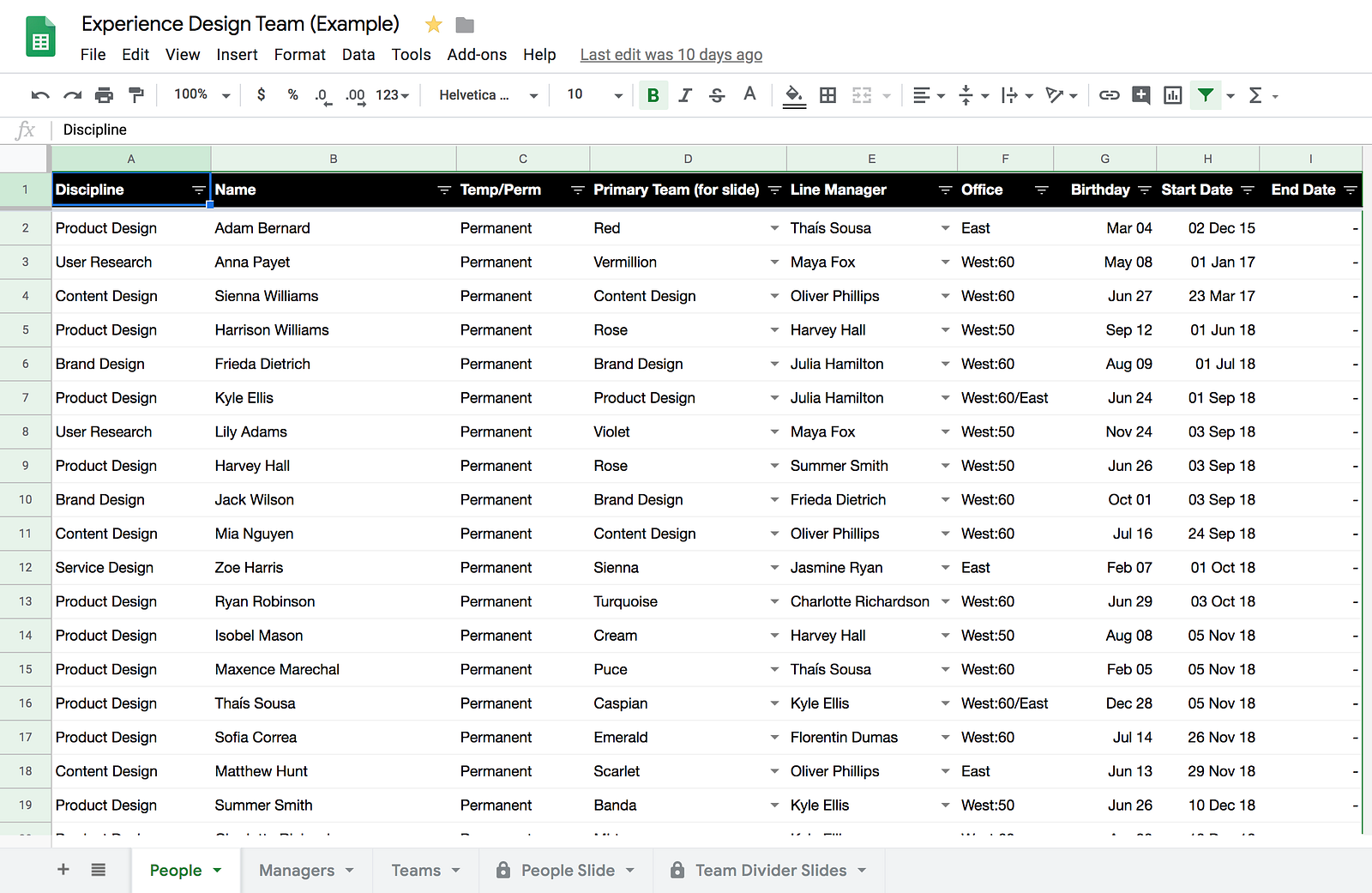
The first version was simply a list of names, roles, teams, start dates and whether someone was permanent or not. This probably took about an hour to add the 25 or so people we had at the time, which we were then able to share with the team to ensure it aligned with their understanding of the world. The key part though was how it evolved. Our brilliant recruiter, Vam, added new starters as they accepted offers, I continued adding people from the Bamboo onboarding emails, and we started adding other useful columns like birthdays and locations as we expanded into new offices.
The most recent version continues to get jazzier by adding reporting lines, tribe/squad structure and automatically generating slides for our weekly team meeting. None of these extra bits are essential though, they were just added over time because the initial list of people gained traction and was used week-in week-out to maintain clarity and consistency across the team. Side note: Google Sheets and Slides integration is rudimentary but powerful at reducing the potential for inconsistency.
3. What’s everyone working on?
So far we’ve talked about going deep when people join and going wide to help them connect the dots across the team. The final puzzle piece is the regular rituals that consistently bring everyone together to help re-enforce these themes, in addition to the biggest question of all “what’s everyone working on?”
To extend the previous stormy ocean metaphor, if being thrown a life jacket is onboarding, and finding your way to the surface is the team sheet, then this part is the paddling. Everyone could still remain unclear on which direction is land, but now, with a clear sense of progress, we can collectively figure out which steps to take toward determining where land might be, and share our learnings from directions we’ve tried and failed with in the past.
This is already a long post, and there’s a lot more detail to cover on this topic, so I’ve gone into specifics in a separate post. tl;dr establish a consistent, lightweight routine to bring people together to give quick and easy visual updates of what they’re working on.
In my first few weeks on the team, I heard “floors like lava” mentioned a few times. You’re probably thinking, wait, what? We went from stormy oceans to lava??? While oceans might be more forgiving from a timeline perspective, lava is hot and burning your feet, there’s little time to think, you just need to move quickly. The product areas I oversaw went from 2 to 15 designers throughout the period I’ve described above, which presented a huge shift in what I was able to give my attention to. Looking back, the tiny steps early on to introduce processes like these seemed like small wins at the time, but their value became much greater as they evolved and the team grew with these solid foundations in place. Starting with something as small as a Google Sheet that answers a specific question and returning to it every week to iterate feels a lot like applying an iterative product development process but to the team itself. And at the end of the day, I think it’s this simplicity and minimal, iteration-centric mindset that helped these artifacts and rituals gain such traction.
👉 The full Google Drive templates folder 👈
Feel free to share or copy & paste anything that might help your team.